

Supported Devices
Works on All These TV Devices
Fire TV Stick
All models — 4K, 4K Max, Lite
Fire TV Cube
1st and 2nd generation
Android TV
Mi Box, NVIDIA Shield, etc.
Google TV
Chromecast, Sony, TCL, Hisense
Step-by-Step Guide
How to Use Downloader Code 4510702
Follow these 6 simple steps to install Anilab on your TV device using the Downloader app.
1
Enable Installation from Unknown Sources
Before installing apps from outside the app store, you need to allow it in your device settings. Go to Settings → My Fire TV → Developer Options and enable "Apps from Unknown Sources". On Android TV, go to Settings → Device Preferences → Security & Restrictions.
You only need to do this step once. After enabling it, you can install any APK in the future without repeating this step.
2
Download and Install the Downloader App
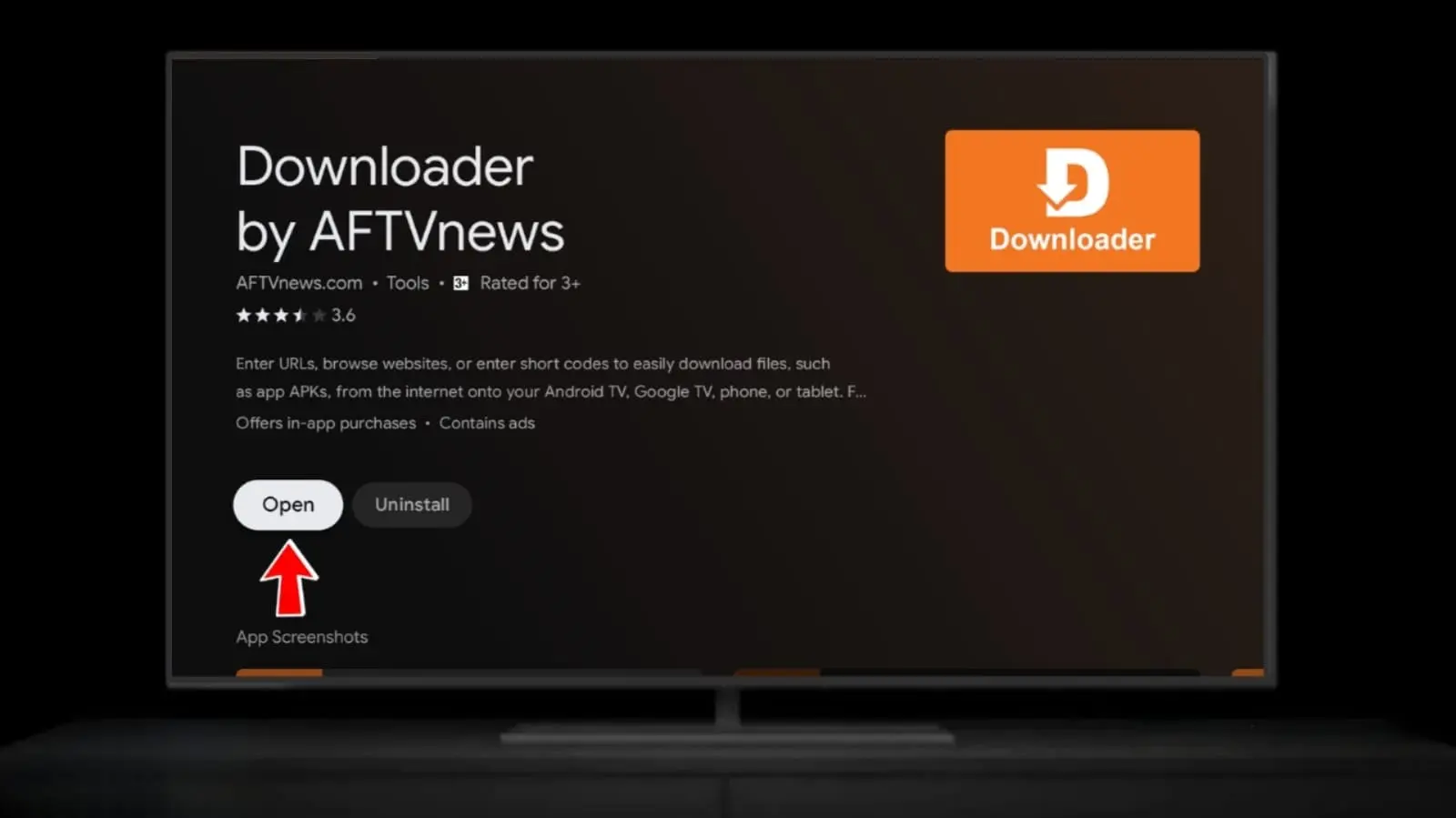
Search for "Downloader" (by AFTVnews) in your device's app store (Amazon App Store for Fire TV, or Google Play for Android TV / Google TV) and install it for free.
3
Open Downloader and Grant Permissions
Launch the Downloader app. On first launch, it will ask for permission to access files and install APKs. Tap Allow on all permission prompts to continue.
.webp)
4
Enter Code 4510702 in the Input Box
In the Downloader home screen, you'll see a URL/code input field. Click on it and type 4510702 using your remote. Then press Go. You can also type the full short URL: aftv.news/4510702
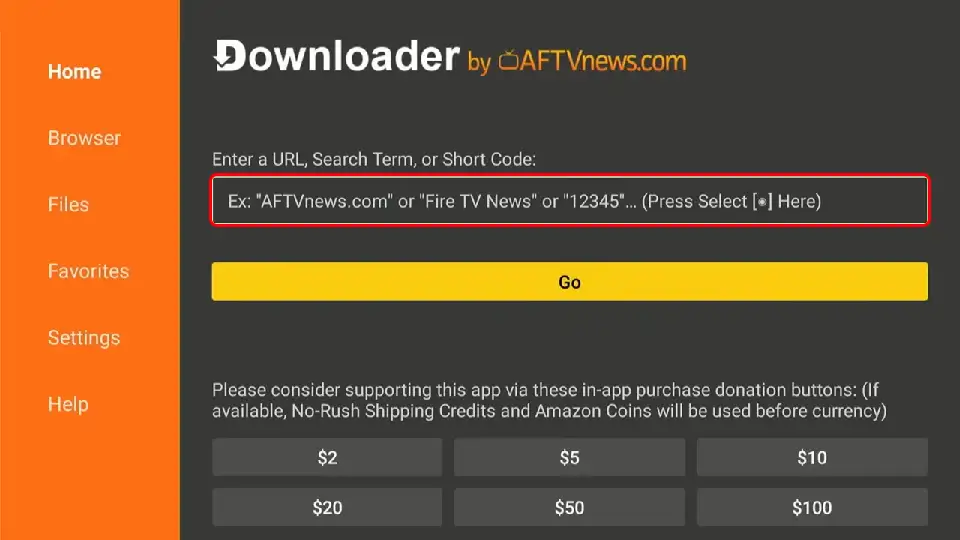
Tip: You can copy the code 4510702 from this page and paste it using the Downloader app's clipboard feature.
5
Wait for the Anilab APK to Download
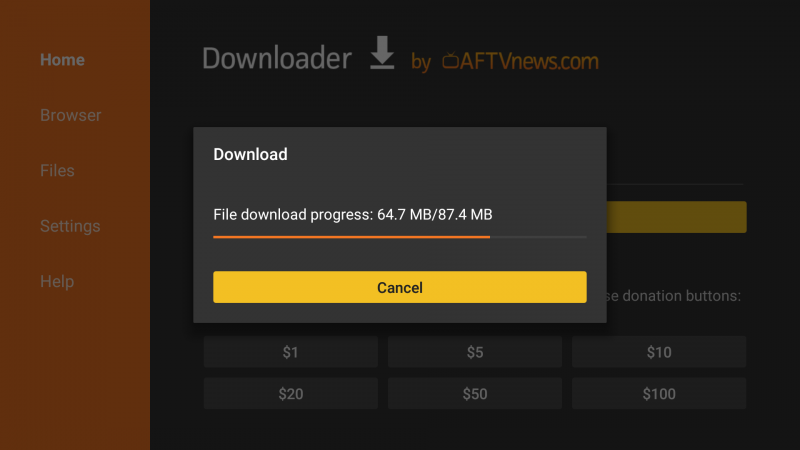
Downloader will connect to the server and start downloading the Anilab TV APK file automatically. The download progress bar will appear on screen. Wait for it to reach 100%.
6
Tap Install and Launch Anilab
Once the download is complete, an Android installation screen will appear. Press Install. If a warning about unknown apps appears, go to Settings, allow Downloader, and come back to install. After installation, tap Open to launch Anilab immediately.
Done! Anilab is now installed on your TV. You can find it in your apps list. Open it and start streaming anime in HD on the big screen for free.