
Fire TV Stick via Downloader app — code 4510702
Amazon Fire TV Stick doesn't have Anilab in its app store. The easiest way is to use the free Downloader app and enter code 4510702 — the app installs automatically.
From your Fire TV home screen go to Settings → My Fire TV → Developer Options and turn on Apps from Unknown Sources. This lets you install apps from outside the Amazon store. You only need to do this once.
Search for Downloader by AFTVnews in the Amazon App Store and install it for free. It's the tool that lets you install any APK on your Fire TV using a short code.
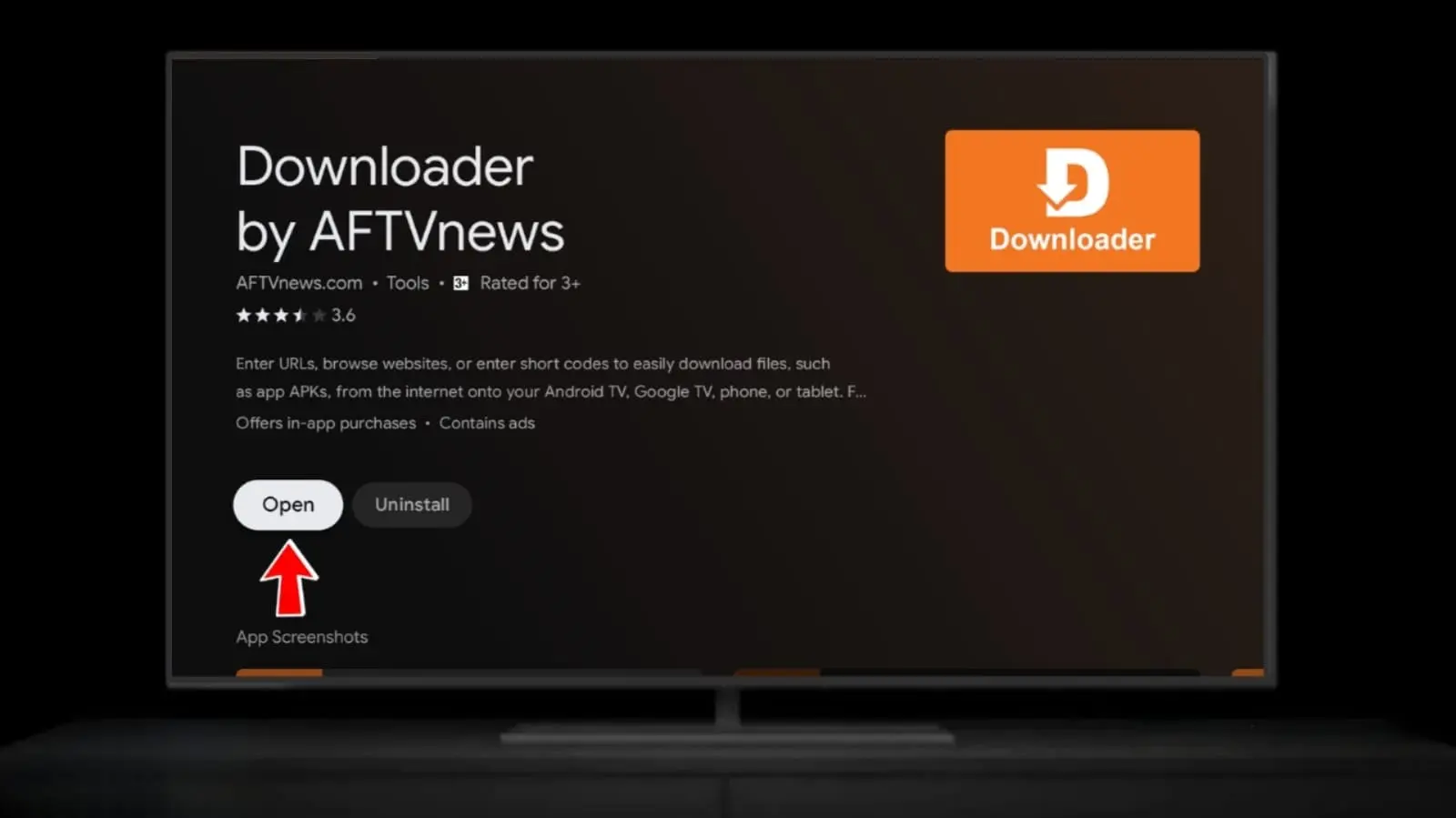
When you first open Downloader, it will ask for permission to install APK files. Tap Allow on all permission prompts to continue.
.webp)
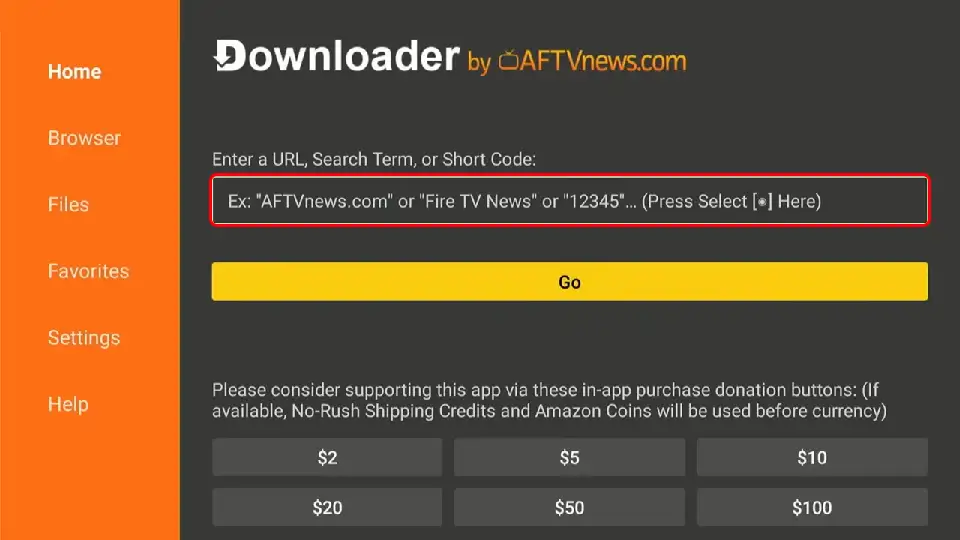
In the Downloader URL input box, type 4510702 and press Go. You can also type the short URL aftv.news/4510702. Downloader will automatically connect and start downloading the Anilab TV APK.
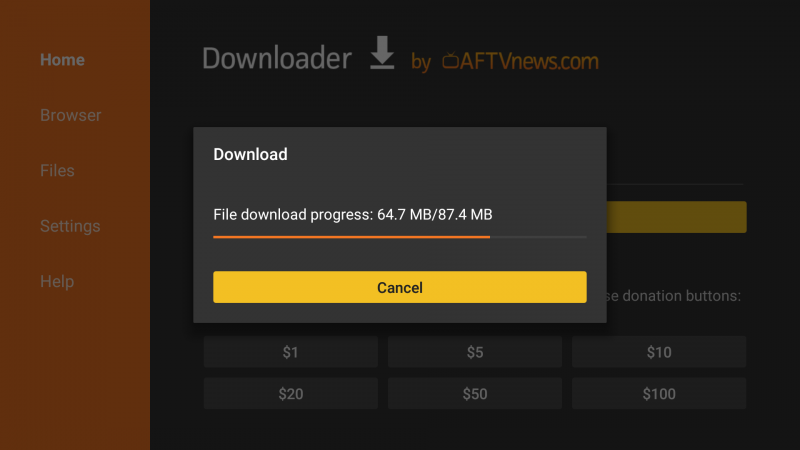
The Anilab TV APK will start downloading automatically. A progress bar will appear on screen. Wait until it reaches 100% — this usually takes 10–30 seconds depending on your internet speed.
Once the download finishes, an install screen will appear. Press Install. If a warning about unknown apps appears, press Settings, allow Downloader, then go back and install. After installation, press Open to launch Anilab immediately — or find it in your apps list anytime.
Google TV Chromecast, Sony, TCL, Hisense and more
Google TV has access to the Google Play Store, so you can install Anilab directly without any extra steps. If it's not available in your region, use the Downloader code method below.
From the Google TV home screen, open the Google Play Store app. Sign in with your Google account if prompted.

Search for "Anilab", find Anilab TV - Anime & Manga and press Install. Wait for the download to finish, then open the app and start watching anime.
Install Downloader from Google Play on your TV, enable "Install Unknown Apps" for it in Settings, then open Downloader and enter code 4510702 to download and install Anilab.
Android TV NVIDIA Shield, Mi Box, Philips, Sharp and more
Android TV supports both Google Play and the Downloader code method. If Anilab isn't showing in your Play Store, use Downloader with code 4510702 — it works on every Android TV device worldwide.
Go to Settings → Device Preferences → Security & Restrictions and enable Unknown Sources. This is required before installing any APK outside the Play Store.
Open the Google Play Store on your Android TV, search for Downloader by AFTVnews and install it for free.
Open Downloader, type 4510702 in the input box and press Go. The Anilab TV APK will download automatically.
After the download completes, press Install on the screen that appears. Open Anilab from your apps list and enjoy anime streaming in HD on your Android TV.
Device Compatibility at a Glance
| Device | Google Play | Downloader Code | Best Method |
|---|---|---|---|
| Fire TV Stick / Cube | Downloader 4510702 | ||
| Google TV | Google Play Store | ||
| Android TV (NVIDIA Shield, Mi Box…) | Play Store or Downloader | ||
| Samsung / LG Smart TV | Use a Fire TV Stick |